Saving Files |
  
|
Saving Files |
|
There are several options to save the results of your work on disk. Select in the main menu:
File -> Save / Save As....
In this case you can save the current image in native ALTR format. Variants are also saved in the single file.
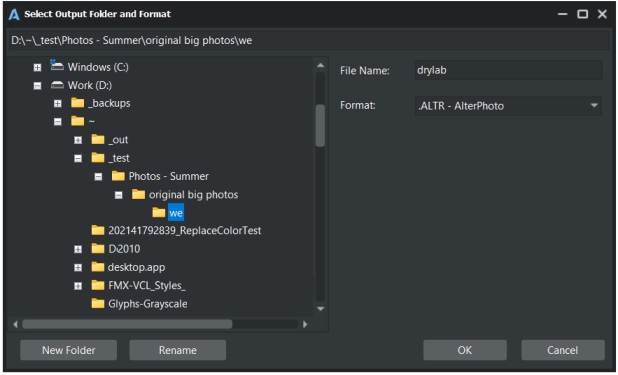
File -> Save All to Folder....
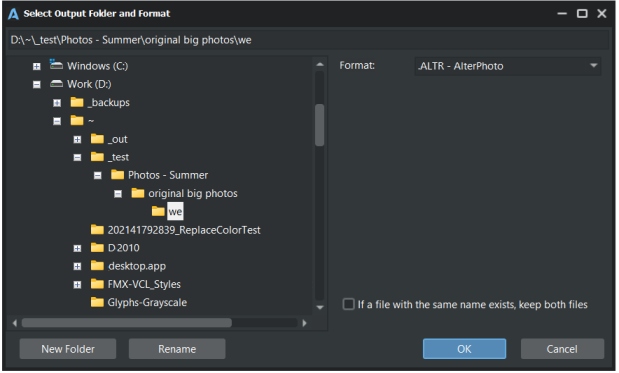
In this case you can save in ALTR format all images (and existing variants) which are currently open in AlterPhoto. If you want to skip the confirmation dialog in case some file already exists in the output directory, then enable the option "If a file with the same name exists, keep both files".
Export your current project to one of image formats (JPG, PNG etc.). But this will not affect your current project (its path, state) in any way,
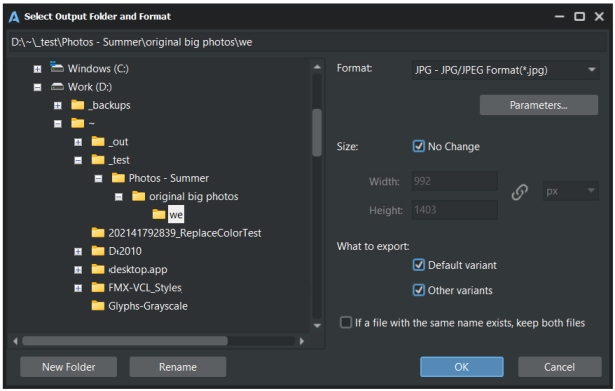
You can change the parameter of selected file format by clicking the "Parameters" button.
Also you can change the size of the output image. To do this, uncheck the "No change" option, and edit the Width and Height values.
Enable the "Keep aspect ratio" button if you want to change Width according to Height and vice versa.
If you want to resize the image using percents, choose "%" in the corresponding combo.
Also choose if you want to export variants in addition to main image (called Default variant)
Export All to Folder
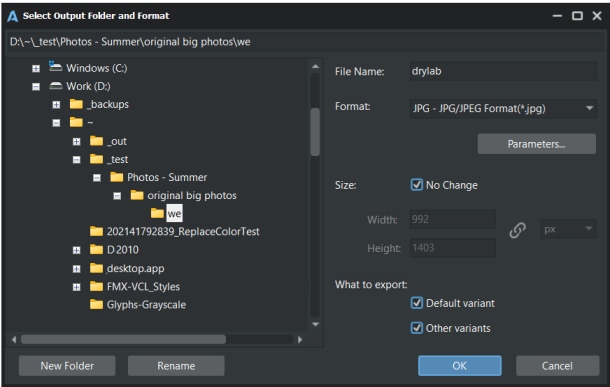
Export all open projects to one of image formats (JPG, PNG etc.). This will not affect your projects (file paths, states etc) in any way,
You can change the parameter of selected file format by clicking the "Parameters" button.
Also you can change the size of the output images. To do this, uncheck the "No change" option, and edit the Width and Height values.
Enable the "Keep aspect ratio" button if you want to change Width according to Height and vice versa.
If you want to resize the image using percents, choose "%" in the corresponding combo.
Also choose if you want to export variants in addition to main image (called Default variant).
If you want to skip the confirmation dialog in case some file already exists in the output directory, then enable the option "If a file with the same name exists, keep both files".