Graphic Library |
  
|
Graphic Library |
|
AlterPhoto includes the graphic library that may be freely used in your projects.
To open this tool, select in the main menu: File -> Graphic Library.
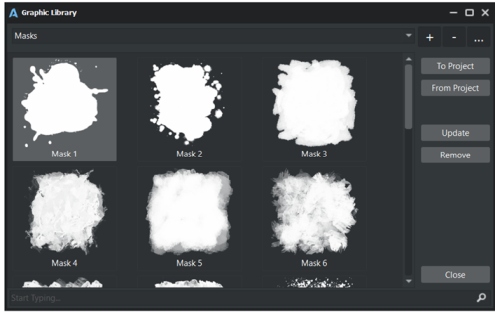
This window is not modal, so you can still working on your project while window is open.
Select category from the combo.
Then select desired item in the list, and click "To Project" to import the graphics into current project.
It is possible to save current project into the Graphics Library. To do this, click "From Project" button. In this case all layers except background are saved into the library.
The button "+" is used to create new category.
The button "-" is used to remove the category.
The button "..." is used to edit the name of category.
In fact, the Graphic Library shows the content of the "Samples" folder that is located in the following path: Document \ AlterPhoto
You can manually create, rename and remove the subfolders there, as well as manage the files inside.